
Your camera roll at 100%.
Kuralo sorts your photos as fast as you can swipe. Everything stays on your phone.
We’ll write to you once, when Kuralo is in the store. Launch planned for January 2027.
- Right to keep
- Left to let go
- Up to an album
- Double tap: favorite


Thanks for testing Kuralo!
Sign up and we’ll send you the invitation for iPhone or Android.
Kuralo is your photo library at speed: one photo, one swipe, one decision. Right to keep, left to let go, up to an album. Everything stays on your phone.


What to expect
You’ll get an invitation by email.
On iPhone you install Kuralo through TestFlight, on Android through the Play Store.
Just use Kuralo like you normally would.
After about a week we’ll ask you briefly how it went.
- Pro
Pro is free during the test. At launch you get Pro Lifetime as a thank-you.
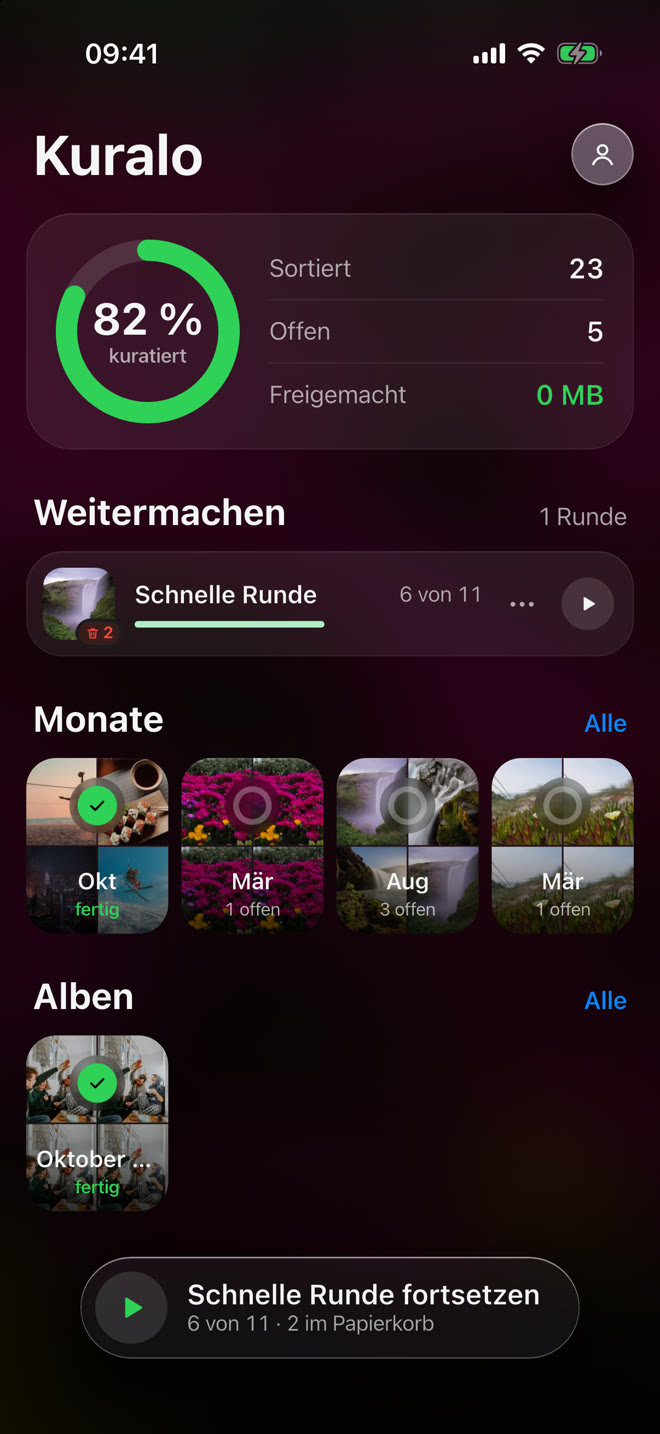
Library at 100%
See how far you are.
A ring shows how much of your library you have already decided. Months and albums wait as tiles, and one tap starts a round.
One swipe at a time
One photo, one decision.
Swipe right and the photo stays, swipe left and it goes to the trash check, swipe up and it goes into an album, and a double tap makes it a favorite. Your thumb is enough, and every step can be undone.
- Right to keep
- Left to let go
- Up to an album
- Double tap: favorite

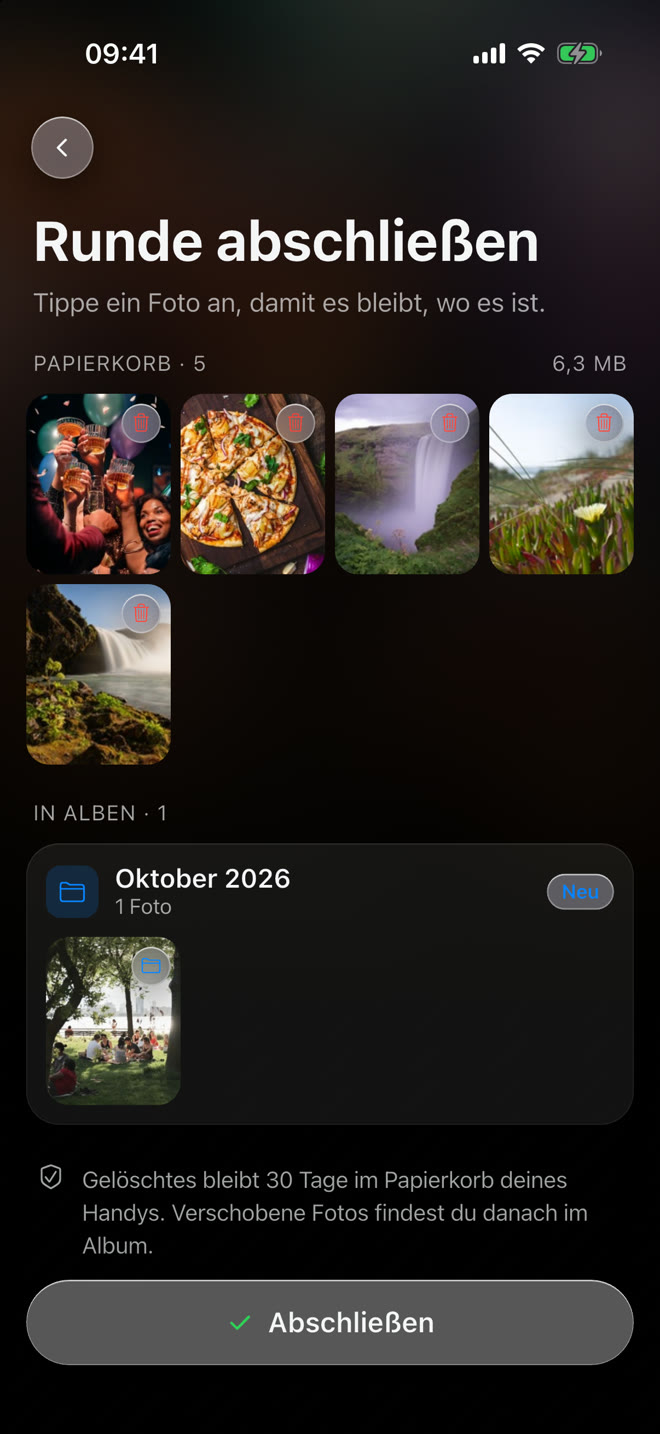
Nothing gets lost
Deleted only after the check.
At the end of every round you see everything headed for the trash and tap a photo to keep it. After that it sits in your phone’s trash for 30 days.
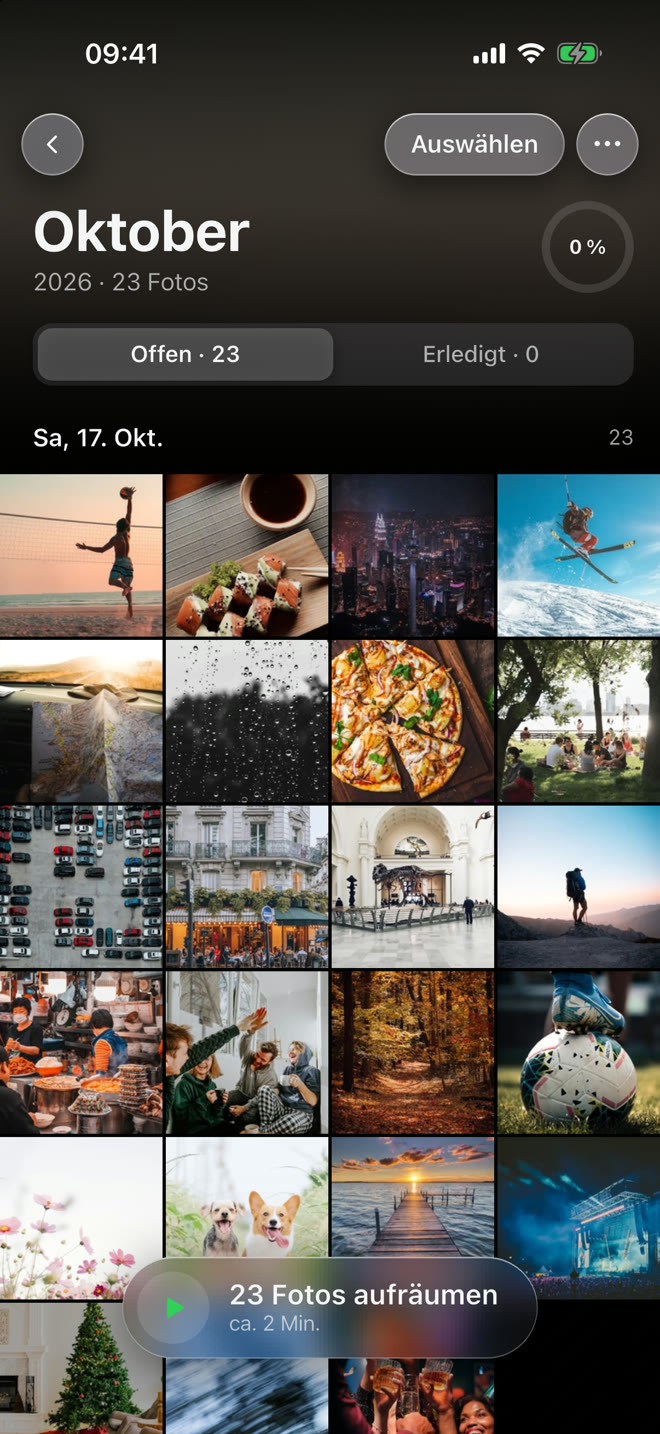
Months and albums
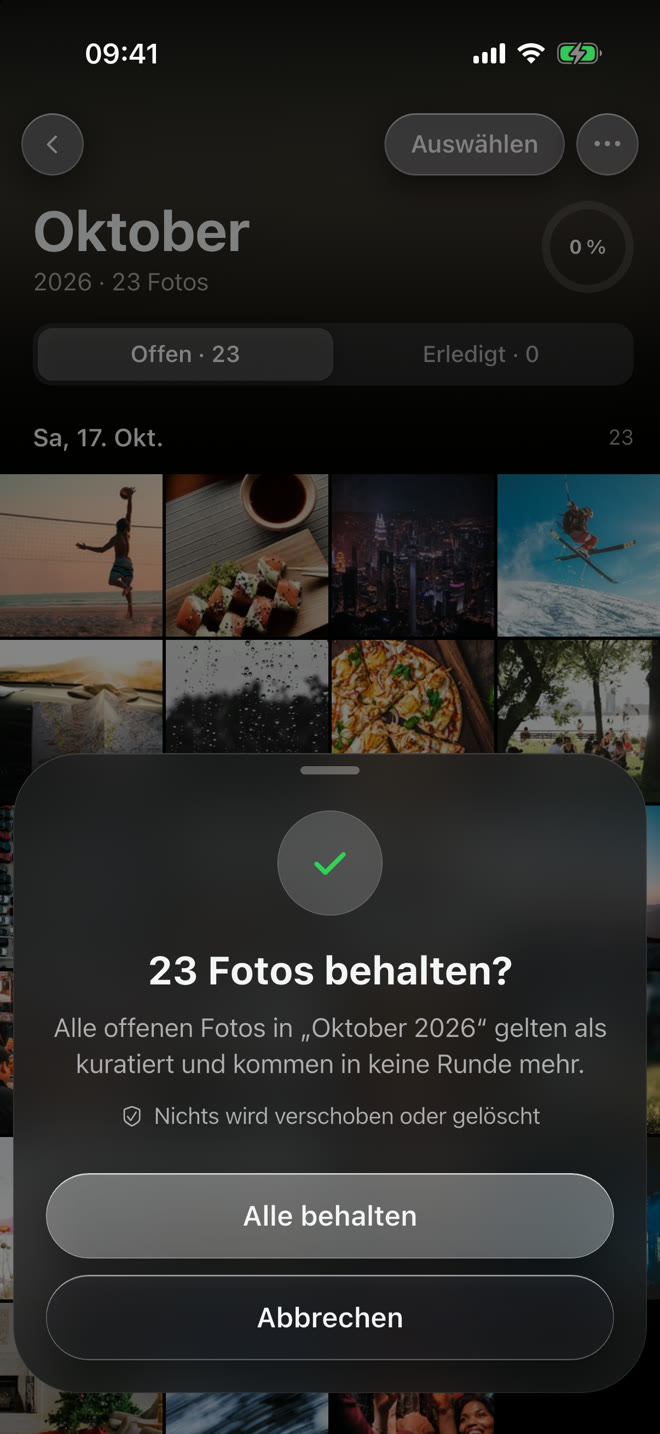
A whole month at once.
Is everything in a month fine? Tick it off with one tap. Nothing is moved or deleted, the photos just never show up in a round again.
Start free. Go Pro when you want more.
The trash check and your progress are always free. Pro takes the daily limit away.
Free
To try it and for every day
- 30 decisions per day, one quick round
- Library ring and months
- Trash check before anything is deleted
- Find, view and remove duplicates one by one
- Tick off up to 3 albums or folders at once
Pro
For the whole library at your pace
- No daily limit: decide as much as you like
- Remove duplicates with one tap
- Tick off albums and folders without a limit
- Rounds of 50 photos
- Everything in Free
- Yearly€19.99per year7 days free
- Monthly€2.99per monthcancel anytime
- Once€39.99pay oncefor good
Prices may still change before launch.
Stays on your phone.
Everything stays on the phone
No account, no cloud. Your photos never leave your device.
Nothing gets lost
Deleted photos sit in your phone’s trash for 30 days.
You decide
Kuralo never deletes anything without your confirmation.
Questions and answers
Launch and price
What is Kuralo?
Kuralo is an app that cleans up your photo library with a swipe: decide photo by photo what stays, what goes to the trash and what belongs in an album. You sort photos, screenshots and whole months faster and free up storage without ever losing a photo by accident.
When does Kuralo launch?
We plan to launch in January 2027. Everyone on the list gets an email with the store links on launch day.
Is Kuralo available for iPhone and Android?
Yes, for both, with the same look and the same features.
What does Kuralo cost?
Kuralo is free to use, with 30 decisions per day. With Pro you sort without a limit and remove duplicates with one tap. Pro costs €19.99 a year, €2.99 a month or €39.99 once. The yearly plan starts with 7 days free. Prices may still change before launch.
Do I need an account?
No. Kuralo has no account and no sign-in. You buy Pro directly through the App Store or Google Play.
Your photos
What happens to my photos?
Nothing you don’t decide yourself. Photos are only deleted after a final check at the end of a round, and only into your phone’s trash, where they stay for 30 days.
Do my photos leave my phone?
No. Kuralo works only on your phone: there is no upload and no cloud. Only the waitlist on this page stores something: your email address.
Can I take a decision back?
Yes. In a round every step can be undone, and in the check at the end you tap a photo to keep it where it is.
iPhone
What about iCloud Photos?
Kuralo works with your Photos app. With iCloud Photos on, your cleanup applies to all your devices, and deleted photos stay in “Recently Deleted” for 30 days.
What access does Kuralo need?
On first start iOS asks for access to your photos. Choose “Allow Full Access”, otherwise Kuralo only sees the selection you share.
Android
What about Google Photos?
Google Photos is not supported. Kuralo sorts the photos that are on your phone. It does not see what only lives in the cloud, and deleting only happens on the phone, not in Google Photos.
How do albums work on Android?
Kuralo creates albums as folders on your phone. In Google Photos they show up under “Photos on device”, not as a Google Photos album.
Be there on launch day.
One email when Kuralo is in the store. Nothing more.